你好,我是Chrono。
先要说一声“抱歉”。由于工作比较紧张、项目实施频繁出差,导致原本预定的“答疑篇”迟迟没有进展,这次趁着“十一”长假,总算赶出了两期,集中回答几个同学们问得比较多的问题:Linux/Mac实验环境搭建(第7讲),URI查询参数(第11讲),还有DHE/ECDHE算法的原理(第26讲),后续有时间可能还会再陆续补充完善。
很高兴在时隔一个多月后与你再次见面,废话不多说了,让我们开始吧。
Linux上搭建实验环境
我们先来看一下如何在Linux上搭建课程的实验环境。
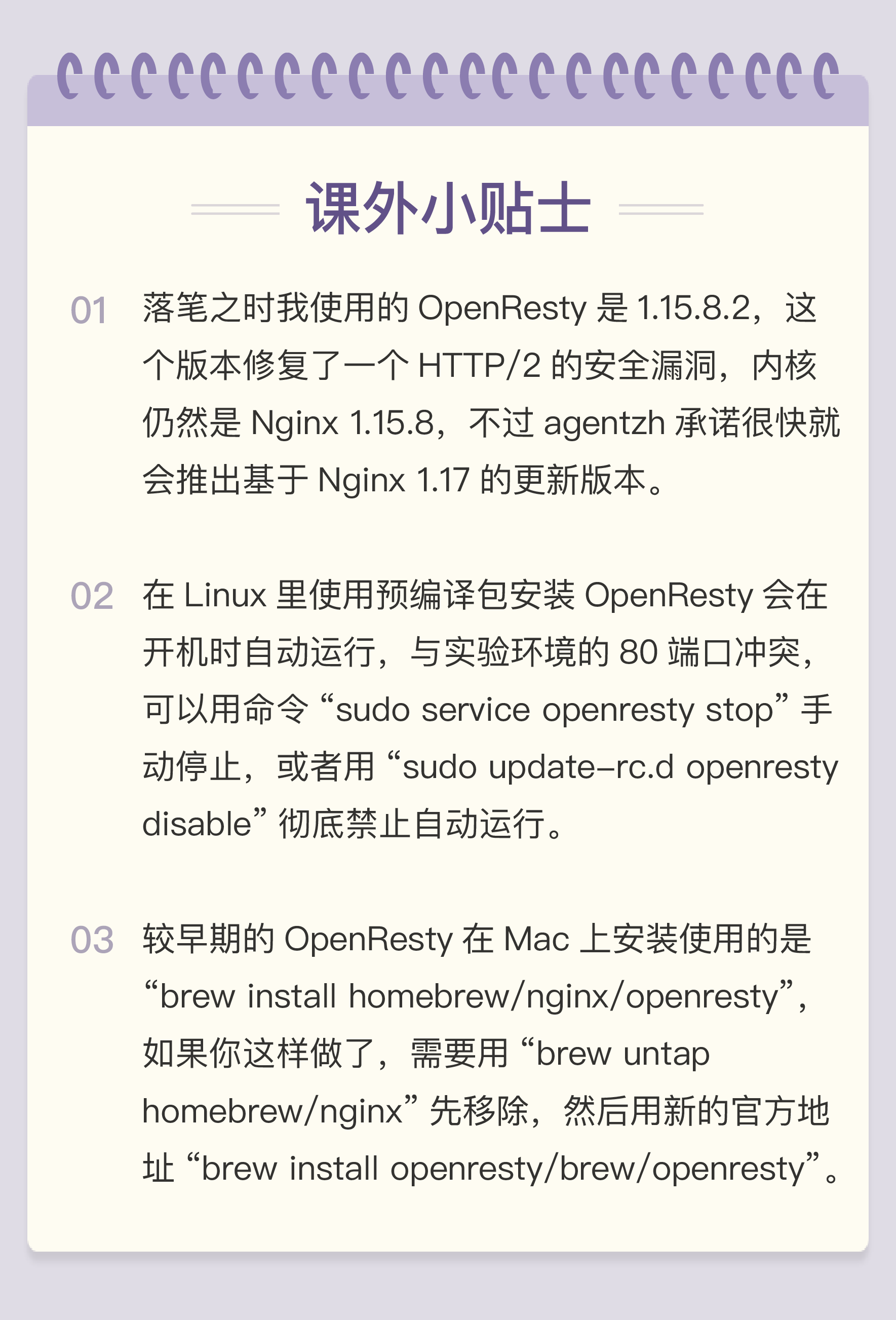
首先,需要安装OpenResty,但它在Linux上提供的不是zip压缩包,而是各种Linux发行版的预编译包,支持常见的Ubuntu、Debian、CentOS等等,而且官网上有非常详细安装步骤。
以Ubuntu为例,只要“按部就班”地执行下面的几条命令就可以了,非常轻松:
# 安装导入GPG公钥所需的依赖包:
sudo apt-get -y install --no-install-recommends wget gnupg ca-certificates


# 导入GPG密钥:
wget -O - https://openresty.org/package/pubkey.gpg | sudo apt-key add -


# 安装add-apt-repository命令
sudo apt-get -y install --no-install-recommends software-properties-common


# 添加官方仓库:
sudo add-apt-repository -y "deb http://openresty.org/package/ubuntu $(lsb_release -sc) main"


# 更新APT索引:
sudo apt-get update


# 安装 OpenResty
sudo apt-get -y install openresty
全部完成后,OpenResty会安装到“/usr/local/openresty”目录里,可以用它自带的命令行工具“resty”来验证是否安装成功:
$resty -v
resty 0.23
nginx version: openresty/1.15.8.2
built with OpenSSL 1.1.0k  28 May 2019
有了OpenResty,就可以从GitHub上获取http_study项目的源码了,用“git clone”是最简单快捷的方法:
git clone https://github.com/chronolaw/http_study
在Git仓库的“www”目录,我为Linux环境补充了一个Shell脚本“run.sh”,作用和Windows下的start.bat、stop.bat差不多,可以简单地启停实验环境,后面可以接命令行参数start/stop/reload/list:
cd http_study/www/    #脚本必须在www目录下运行,才能找到nginx.conf
./run.sh start        #启动实验环境
./run.sh list         #列出实验环境的Nginx进程
./run.sh reload       #重启实验环境
./run.sh stop         #停止实验环境
启动OpenResty之后,就可以用浏览器或者curl来验证课程里的各个测试URI,但之前不要忘记修改“/etc/hosts”添加域名解析,例如:
curl -v "http://127.0.0.1/"
curl -v "http://www.chrono.com/09-1"
curl -k "https://www.chrono.com/24-1?key=1234"
curl -v "http://www.chrono.com/41-1"
Mac上搭建实验环境
看完了Linux,我们再来看一下Mac。
这里我用的是两个环境:Mac mini 和 MacBook Air,不过都是好几年前的“老古董”了,系统是10.13 High Sierra和10.14 Mojave(更早的版本没有测试,但应该也都可以)。
首先要保证Mac里有第三方包管理工具homebrew,可以用下面的命令安装:
#先安装Mac的homebrew
/usr/bin/ruby -e "$(curl -fsSL https://raw.githubusercontent.com/Homebrew/install/master/install)"
然后,要用homebrew安装OpenResty,但它在Mac上的安装过程和Linux不同,不是预编译包,而是要下载许多相关的源码(如OpenSSL),然后再用clang本地编译,大概要花上五六分钟的时间,整体上比较慢,要有点耐心。
#使用homebrew安装OpenResty
brew install openresty/brew/openresty
安装完OpenResty,后续的操作就和Linux一样了,“git clone”项目源码:
git clone https://github.com/chronolaw/http_study
然后,进“http_study/www”目录,用脚本“run.sh”启停实验环境,用Safari或者curl测试。
Linux/Mac下的抓包
Linux和Mac里都有图形界面版本的Wireshark,抓包的用法与Windows完全一样,简单易用。
所以,今天我主要介绍命令行形式的抓包。
命令行抓包最基本的方式就是著名的tcpdump,不过我用得不是很多,所以就尽可能地“藏拙”了。
简单的抓包使用“-i lo”指定抓取本地环回地址,“port”指定端口号,“-w”指定抓包的存放位置,抓包结束时用“Ctrl+C”中断:
sudo tcpdump -i lo -w a.pcap
sudo tcpdump -i lo port 443 -w a.pcap
抓出的包也可以用tcpdump直接查看,用“-r”指定包的名字:
tcpdump -r a.pcap
tcpdump -r 08-1.pcapng -A
不过在命令行界面下可以用一个更好的工具——tshark,它是Wireshark的命令行版本,用法和tcpdump差不多,但更易读,功能也更丰富一些。
tshark -r 08-1.pcapng
tshark -r 08-1.pcapng -V
tshark -r 08-1.pcapng -O tcp|less
tshark -r 08-1.pcapng -O http|less
tshark也支持使用keylogfile解密查看HTTPS的抓包,需要用“-o”参数指定log文件,例如:
tshark -r 26-1.pcapng -O http -o ssl.keylog_file:26-1.log|less
tcpdump、tshark和Linux里的许多工具一样,参数繁多、功能强大,你可以课后再找些资料仔细研究,这里就不做过多地介绍了。
URI的查询参数和头字段
在第11讲里我留了一个课下作业:
“URI的查询参数和头字段很相似,都是key-value形式,都可以任意自定义,那么它们在使用时该如何区别呢?”
从课程后的留言反馈来看,有的同学没理解这个问题的本意,误以为问题问的是这两者在表现上应该如何区分,比如查询参数是跟在“?”后面,头字段是请求头里的KV对。
这主要是怪我没有说清楚。这个问题实际上想问的是:查询参数和头字段两者的形式很相近,query是key-value,头字段也是key-value,它们有什么区别,在发送请求时应该如何正确地使用它们。
换个说法就是:应该在什么场景下恰当地自定义查询参数或者头字段来附加额外信息。
当然了,因为HTTP协议非常灵活,这个问题也不会有唯一的、标准的答案,我只能说说我自己的理解。
因为查询参数是与URI关联在一起的,所以它针对的就是资源(URI),是长期、稳定的。而头字段是与一次HTTP请求关联的,针对的是本次请求报文,所以是短期、临时的。简单来说,就是两者的作用域和时效性是不同的。
从这一点出发,我们就可以知道在哪些场合下使用查询参数和头字段更加合适。
比如,要获取一个JS文件,而它会有多个版本,这个“版本”就是资源的一种属性,应该用查询参数来描述。而如果要压缩传输、或者控制缓存的时间,这些操作并不是资源本身固有的特性,所以用头字段来描述更好。
除了查询参数和头字段,还可以用其他的方式来向URI发送附加信息,最常用的一种方式就是POST一个JSON结构,里面能够存放比key-value复杂得多的数据,也许你早就在实际工作中这么做了。
在这种情况下,就可以完全不使用查询参数和头字段,服务器从JSON里获取所有必需的数据,让URI和请求头保持干净、整洁(^_^)。
今天的答疑就先到这里,我们下期再见,到时候再讲ECDHE算法。
精选留言
2021-11-10 15:06:04
1. 运行 ./run.sh start 报错 /usr/local/bin/openresty: command not found
这是因为 M1 芯片mac 的 homebrew 安装软件的位置与以往不同,先通过 which openresty 查询 openresty 的位置 /opt/homebrew/bin/openresty,然后打开 run.sh 脚本替换一下老师写的位置
if [ $os != "Linux" ] ; then
openresty="/usr/local/bin/openresty"
fi
替换成
if [ $os != "Linux" ] ; then
openresty="/opt/homebrew/bin/openresty"
fi
2. 再运行 ./run.sh start 报错 nginx: [emerg] could not build server_names_hash, you should increase server_names_hash_bucket_size: 32
网上查寻了一下,放大 bucket_size 即可,打开 www/conf/nginx.conf 文件添加这一句server_names_hash_bucket_size 64; 即可
# http conf
http {
#include http/common.conf;
#include http/cache.conf;
#include http/resty.conf;
#include http/mime.types;
server_names_hash_bucket_size 64;
include http/*.conf;
include http/servers/*.conf;
}
2019-10-09 00:24:59
2020-05-07 22:23:52
brew install openresty/brew/openresty 后,报错:
curl: (7) Failed to connect to raw.githubusercontent.com port 443: Connection refused
Error: An exception occurred within a child process:
DownloadError: Failed to download resource "openresty-openssl--patch"
Download failed: https://raw.githubusercontent.com/openresty/openresty/master/patches/openssl-1.1.0d-sess_set_get_cb_yield.patch
此时把 DNS 设置为 114.114.114.114 或者 8.8.8.8 就好了,最好再挂个梯子
2019-10-18 11:03:36
按文章指导搭建了MAC的环境:
openresty -v
nginx version: openresty/1.11.2.2
在~/git/http_study/www目录下执行
./run.sh start
Password:
nginx: [emerg] "/Users/xiaodong/git/http_study/www/conf/ssl/ticket.key" must be 48 bytes in /Users/xiaodong/git/http_study/www/conf/nginx.conf:34
报了这个错误,在网上google没找到解决方法。
尝试在nginx.conf中注销相关代码,也会报其他错误。
老师能指点一下吗?
2019-10-16 14:46:30
2023-02-09 11:34:41
2020-03-28 10:35:46
nginx: [emerg] bind() to 0.0.0.0:80 failed (48: Address already in use)
nginx: [emerg] bind() to 0.0.0.0:8080 failed (48: Address already in use)
nginx: [emerg] bind() to 0.0.0.0:443 failed (48: Address already in use)
nginx: [emerg] bind() to 0.0.0.0:8443 failed (48: Address already in use)
nginx: [emerg] bind() to 0.0.0.0:440 failed (48: Address already in use)
nginx: [emerg] bind() to 0.0.0.0:441 failed (48: Address already in use)
nginx: [emerg] bind() to 0.0.0.0:442 failed (48: Address already in use)
2019-11-07 11:40:04
brew install openresty/brew/openresty :DownloadError: Failed to download resource "openresty-openssl--patch"
Download failed: https://raw.githubusercontent.com/openresty/openresty/master/patches/openssl-1.1.0d-sess_set_get_cb_yield.patch
2025-07-25 11:05:54
报错:
checking for GeoIP library ... not found
checking for GeoIP library in /usr/local/ ... not found
checking for GeoIP library in /usr/pkg/ ... not found
checking for GeoIP library in /opt/local/ ... not found
checking for GeoIP library in /opt/homebrew/ ... not found
./configure: error: the GeoIP module requires the GeoIP library.
You can either do not enable the module or install the library.
ERROR: failed to run command: sh ./configure --prefix=/opt/homebrew/Cellar/openresty/1.27.1.2_1/nginx \...
原因:
缺少geoip库,geoip因为过期,brew下载不了
解决方案:
1. brew install geoip --force
2. brew install openresty/brew/openresty
完美解决!!
2025-04-14 23:10:26
2021-12-13 01:39:22
format : run.sh [start|stop|reload|list]是什么情况呢
2021-08-23 01:07:36
2021-06-22 23:15:55
但是当我用浏览器 访问 www.chrono.com 时,它跳转到的 地址为 https://dp.diandongzhi.com/?acct=660&site=chrono.com 然后wireshark抓包并没有任何反应。我想问一下是我操作不当的原因还是怎么回事。课程大部分听完了。但是后面实验没做成挺难受的,没有去验证。等老师给个答复准备二刷!
2021-03-20 09:27:01
2021-03-02 17:30:39
2020-08-19 22:54:00
2020-04-21 20:56:46
2020-01-06 01:23:29
2019-11-15 09:44:37
==> Auto-updated Homebrew!
Updated 1 tap (homebrew/core).
==> Updated Formulae
handbrake
==> Installing openresty from openresty/brew
==> Downloading https://openresty.org/download/openresty-1.15.8.2.tar.gz
Already downloaded: /Users/hejunbin/Library/Caches/Homebrew/downloads/4395089f0fd423261d4f1124b7beb0f69e1121e59d399e89eaa6e25b641333bc--openresty-1.15.8.2.tar.gz
==> ./configure -j8 --prefix=/usr/local/Cellar/openresty/1.15.8.2 --pid-path=/us
Last 15 lines from /Users/hejunbin/Library/Logs/Homebrew/openresty/01.configure:
DYNASM host/buildvm_arch.h
HOSTCC host/buildvm.o
HOSTLINK host/buildvm
BUILDVM lj_vm.S
BUILDVM lj_ffdef.h
BUILDVM lj_bcdef.h
BUILDVM lj_folddef.h
BUILDVM lj_recdef.h
BUILDVM lj_libdef.h
BUILDVM jit/vmdef.lua
make[1]: *** [lj_folddef.h] Segmentation fault: 11
make[1]: *** Deleting file `lj_folddef.h'
make[1]: *** Waiting for unfinished jobs....
make: *** [default] Error 2
ERROR: failed to run command: gmake -j8 TARGET_STRIP=@: CCDEBUG=-g XCFLAGS='-msse4.2 -DLUAJIT_NUMMODE=2 -DLUAJIT_ENABLE_LUA52COMPAT' CC=cc PREFIX=/usr/local/Cellar/openresty/1.15.8.2/luajit
If reporting this issue please do so at (not Homebrew/brew or Homebrew/core):
https://github.com/openresty/homebrew-brew/issues
These open issues may also help:
Can't install openresty on macOS 10.15 https://github.com/openresty/homebrew-brew/issues/10
Fails to install OpenResty https://github.com/openresty/homebrew-brew/issues/5
The openresty-debug package should use openresty-openssl-debug instead https://github.com/openresty/homebrew-brew/issues/3
macOS 10.15.1 安装失败。参考给出的链接也没有解决问题,求老师解惑。
2019-10-17 22:28:00
再使用./run.sh start启动OpenResty之后
curl localhost 或者 curl http://www.chrono.com都是返回403
按之前课程里的url访问https://www.chrono.com/11-1什么的,都返回404
第一次接触OpenResty,麻烦老师回复下是哪里没配置好嘛?